



















Create a QR code and verify what it opens
Generate a QR image, decode it and compare the exact destination before sharing.
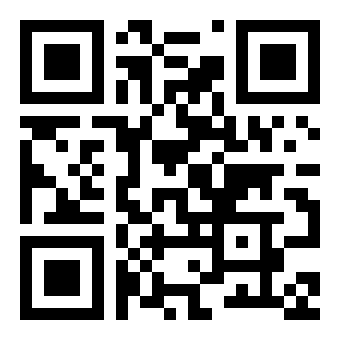
Open QR Code Generator, enter the sample URL below and generate a PNG without a logo. Keep the default size for the first test.
https://example.com/dtool-demoSave the image and upload it to QR Code Decoder. The returned text should match the original exactly. You can also start with the downloadable sample.
Check the hostname before following a decoded link. If you generate a QR code with tracking parameters, compare the entire URL, including the query string.
If a printed code fails, test the downloaded original first. Leave a clear border around the symbol, then test the final print at the size and distance your audience will use.

DTool Team
Product Team
We build simple, reliable browser tools that make everyday digital work faster.
Popular Tools
Recent Posts

A Daily Digital Productivity Checklist
November 11, 2026

Build Cleaner URLs and Campaign Links
November 12, 2026

When to Format or Minify HTML, CSS and JavaScript
November 15, 2026

Create a QR code and verify what it opens
November 12, 2026

How to Use Online Calculators and Unit Converters Accurately
November 15, 2026

Clean up copied text and verify the result
November 14, 2026